

Best Computer for Audio and Music Production (2019 Build)
In this article you can find the specs, parts, and descriptions of the components you need to put together a great computer for audio and music production in 2019.
How do you get the most value from your hard-earned money when buying a PC centred around music production in 2019?
Most people think it’s just about spending as much money as possible, but that isn’t true. Because of the serial nature of audio processing, there are ways to optimise your hardware to suit real-world music production needs. You want to avoid throwing money at components that won’t make a difference to your workflow.
The component choices featured in this article were made at the time of concept, and there may be newer hardware available at the time of reading.
Processor / CPU
Let’s start with the CPU. This component is the beating heart of your music production machine. The goal is to keep latency down and your machine running smoothly by handling all the requests you throw at it during production sessions.
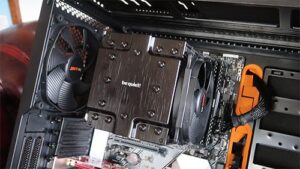
The CPU chosen for this build is the Intel Core i9 9900K. It has 8 cores and 16 threads, a base clock of 3.6GHz, and a turbo clock of 5.0GHz. At the time of this build the 9900K was the best bang for the buck. AMD had recently launched a few chips that were debatably better, but for this article we are going to focus on the i9 9900K.
Why the 9900K was chosen is the most difficult part of the process to discuss, because it can depend heavily on a user’s workflow and plugin usage.
The 9900K featured strong IPC (instructions per clock) scores within its price range. IPC is important for music production because more work can be done in a single clock cycle. This produces better real-time audio processing results because more tasks can be completed within the ASIO buffer cycle.
ASIO buffers are slices of time. If all the data is processed inside that time there will be no problem. If it isn’t processed within the time, there will be unwanted audio crackles and dropouts. Each time the ASIO buffer calls your sequencer for data, channels queue up to be processed. A simplified way to think about it is:
Channel 1 and effects = CPU thread 1
Channel 2 and effects = CPU thread 2
Channel 3 and effects = CPU thread 3
Then as each thread finishes it requests another channel to deal with. This keeps going until it either runs out of work, or the ASIO buffer resets and anything remaining gets dropped.
One of the reasons Xeon workstation chips are not recommended for music production is that they tend to favour more cores for parallel workloads over high IPC. For example, you might pay £500 for an i9 with 8 cores at 3.6GHz with 4.9GHz turbo, and compare it to a £1500 Xeon chip with 14 cores at 2.4GHz with 3.3GHz turbo. For heavy real-time audio processing, the i9 will often win because IPC and overhead for processing chains matter.
Each audio channel has to process its entire chain on the same thread. You can’t effectively off-load a reverb or delay to another thread in real time, because it’s simply too slow a process to be effective.
So, you could get a CPU with more cores and threads than the 9900K, but the extra spend wouldn’t necessarily reflect higher processing power when it comes to working with audio. At the time of this build, the 9900K could handle almost everything you could throw at it and would keep your workflow smooth for years to come.
Memory / RAM
Next you want to make sure that your memory has a large enough volume to store all the necessary data so you can smoothly use all the features of your DAW, even with more complex sessions. If your projects use lots of virtual instruments you’re going to want 32GB or more. If your projects are smaller or less complicated you can get away with less.
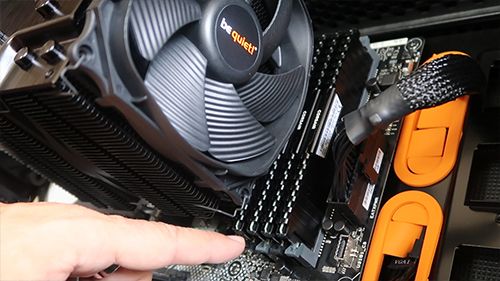
In this build we chose four sticks of 16GB Corsair Vengeance LPX 2666MHz DDR4 for a total of 64GB. This amount of memory comes in handy for professional sound engineering and mastering workloads, including orchestral compositions, large sample libraries, multiple instrument recording, heavy plugin use, multiple large sessions, and heavy composition templates.
When purchasing memory, make sure the system can handle the amount you require. For example, 32-bit Windows 10 can only handle 4GB, whereas the 64-bit version can handle much more depending on the edition. The CPU can also bottleneck memory: the memory controller needs to be rated for the same clock speed, and you must use the correct memory generation (for example DDR3 vs DDR4). Finally, check that the motherboard has the right number of slots for your configuration.
Motherboard
You want to make sure the motherboard has the correct CPU socket and supports the memory type. This build features the i9 9900K, so we need an Intel 1151 socket. Because the i9 9900K is DDR4 compatible, the motherboard also needs to support DDR4.
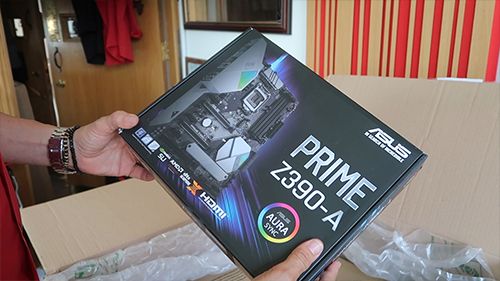
The motherboard chosen for this build is the ASUS PRIME Z390-A. It includes the correct sockets to connect CPU and memory as well as other useful features, most notably multiple video outputs. Combined with the integrated graphics in the 9900K, you can run two monitors without needing a dedicated graphics card.
In the past, integrated CPU graphics wasn’t always enough, but hardware advances mean you can often remove the need for a dedicated graphics card in PCs optimised for music production. That can save a big chunk of budget and put it into more important areas like the CPU.
Storage / M.2
Your storage solution can make your user experience much smoother and faster. Fast storage means fast loading times, and it makes flicking through presets and libraries a lot quicker. If you want to keep your production workflow moving with no waiting around, this is an important factor.
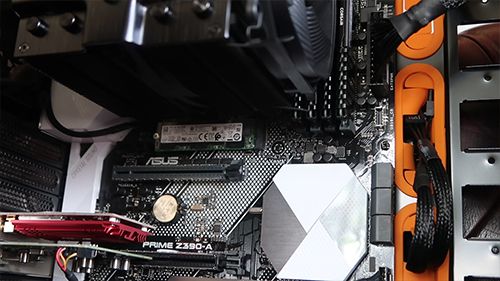
This build uses a 1TB Samsung M.2 NVMe drive for the operating system. These drives are fast and have a strong reliability record. For mass storage, the build uses a 2TB Intel M.2 NVMe drive. It’s slower than the Samsung OS drive, but still extremely fast and offers strong value at higher capacities.
Monitor
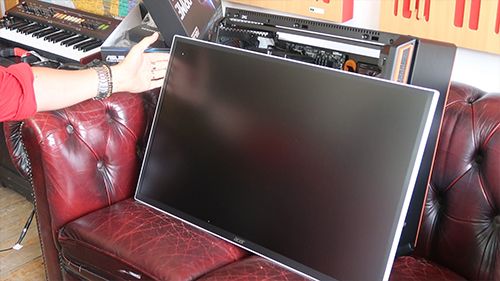
You can’t produce music on a computer without a screen to view your projects. A higher resolution helps you see details in your DAW, especially in complex sessions. This build features the Acer EB321HQU 31.5” WQHD IPS monitor, combining a clear 1440p resolution with a 60Hz refresh rate.
For music production, a high refresh rate isn’t necessary. 60Hz is plenty, which helps keep cost down while still looking great.
Other Essentials
Now for the finishing touches. The CPU fan should be quiet for listening and strong at cooling under full load. This build uses the Be Quiet! Dark Rock PRO 4.
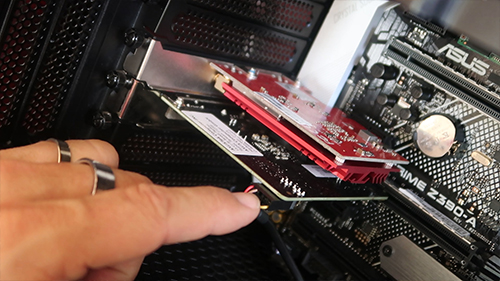
You may also need a Thunderbolt card, as it’s widely used for audio equipment. The card in this build is the Asus Thunderbolt EX 3. It hosts a Thunderbolt 3 port, a USB 3.1 port, and a 9-pin TB header. Another addition is a wireless internet card: the Asus PCE-AC56. Finally, an external CD/DVD drive can still be useful while mastering. This build uses a LITEON External Slim USB DVD-RW, and because it’s external it isn’t limited to just one PC.
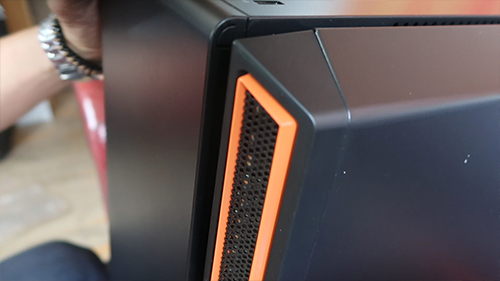
Finally you need a case, and a keyboard and mouse to control the PC. The case featured in this build is the Be Quiet! SILENT BASE 601 Orange Midi Case, chosen for strong noise dampening and enough space for components and cooling. The keyboard and mouse are both by Corsair: the K68 IP32 RBG Mechanical Gaming Keyboard and the M55 RGB PRO Gaming Mouse.
Conclusion
To summarise, buying expensive parts won’t automatically translate into a proportional increase in performance. Focus on what really assists your music production workflow: spend less money where it doesn’t count and more where it does.
We asked Scan.co.uk (3XS Custom Series department) to put together a PC that would be optimised for music production and also be the best bang for the buck.
You can get the computer already assembled here: https://www.scan.co.uk/3xs/configurator/3xs-dms390-doctor-mix-edition
Complete list of specs (Scan.co.uk)
Click on the product number to go to the relevant page at Scan.co.uk:
| Component | Product # | Description |
|---|---|---|
| Monitor | 87429 | 31.5 Acer EB321HQU WQHD Monitor IPS 2560×1440 60Hz 4ms 100M:1 300cd/m² VESA HDMI/DP/DVI |
| HD 1 | 95873 | 1TB Samsung 970 EVO Plus M.2 (2280) PCIe 3.0 (x4) NVMe SSD MLC V-NAND 3500MB/s Read 3300MB/s Write 600k/550k IOPS |
| HD 2 | 92554 | 2TB Intel SSD 660p Series M.2 (2280) PCIe 3.0 (x4) NVMe SSD QLC 3D NAND 1800MB/s Read 1800MB/s Write 220k/220k |
| Memory | 66398 | 64GB (4x16GB) Corsair DDR4 Vengeance LPX Black PC4-21300 (2666) Non-ECC Unbuffered CAS 16-18-18-35 XMP 2.0 1.2V |
| Power | 87219 | 650W be quiet! Straight Power 11 Full Modular 80 PLUS Gold SLI/CrossFire Quad Rail 54.1A 135mm Fan ATX PSU |
| Wifi | 60094 | ASUS PCE-AC56 802.11ac Dual-band Wireless-AC1300 PCI-E Adapter |
| Motherboard | 93109 | ASUS PRIME Z390-A Intel Z390 S 1151 DDR4 SATA3 Dual M.2 2-Way SLi/3-Way CrossFire GbE USB 3.1 Gen2 A+C ATX |
| Thunderbolt | 74154 | ASUS ThunderboltEX 3 Card integrates Thunderbolt3 reversible USB 3.1 Type-C and Display Port 1.2 PCI Express 3.0 x4 |
| CPU Fan | 89119 | be quiet! Dark Rock PRO 4 Dual Tower CPU Cooler 7 Heatpipes 120mm+135mm Silent Wings PWM Fans Al/Cu 250W TDP |
| Case | 92252 | be quiet! SILENT BASE 601 Chassis Orange 2x 140mm Fans Radiator Support E-ATX/ATX/MicroATX/MiniITX |
| Processor | 92494 | Intel Core i9 9900K S 1151 Coffee Lake Refresh 8 Core 16 Thread 3.6GHz 5.0GHz Turbo 16MB 1200MHz GPU 95W Box |
| Fan | 75464 | 140mm be quiet! Silent Wings 3 7 Blade PWM Inaudible Airflow Fan 1000rpm 59.5CFM 15.5dB Fluid Dynamic 4-pin |
| Mouse | 98566 | Corsair M55 |
| DVD | 84481 | LITEON External Slim USB DVD-RW Burner 8X |
| Keyboard | 86764 | CORSAIR K68 IP32 RBG Mechanical Gaming Keyboard |
| Windows | 89809 | Windows 10 Home Advanced DPK KUK-00001 |